Why does Coupons.com have negative reviews? Here is what our data actually shows
Your feedback? We’re all ears. Here’s what we have to say about reviews you may have seen for Coupons.com and what we’re doing to improve your experience.
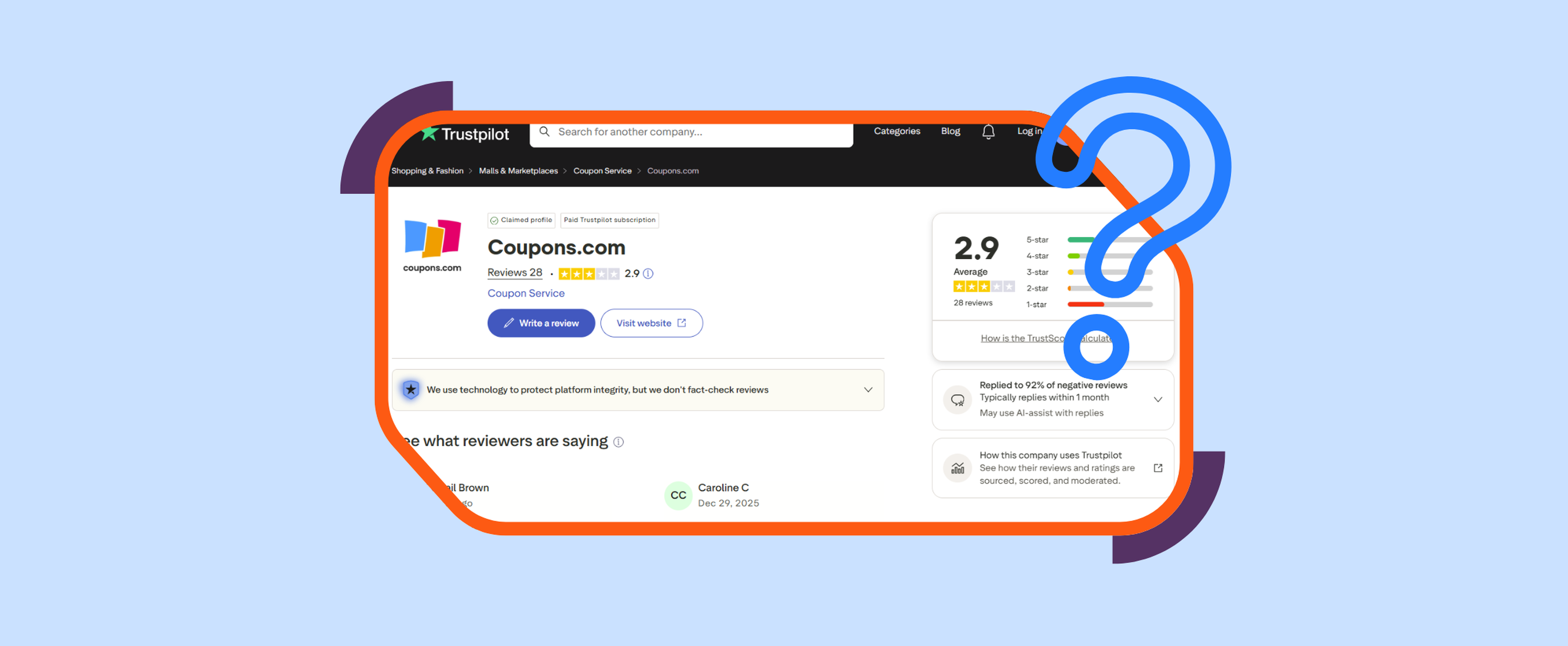
Coupons.com scores between 1.3 and 2.9 out of five on the largest review platforms. I am not going to pretend that number is not a problem; that score is a bad one in every book. But after spending real time looking at what actually sits behind those reviews — most of which have to do with our printable coupons business — I think the picture is a lot more nuanced than the rating suggests.
Let’s start with the scale and some numbers. Based on our internal data, about 100 million people print and redeem coupons from Coupons.com every year. That is roughly one in three Americans that save money with us while they shop. Every year, for the past 28 years. The overwhelming majority use a coupon, save money at the store, and move on with their day. They do not drive home to unload their groceries and stop to leave a five-star review about the savings they just made. The coupon worked as they expected it to, they were satisfied, and that is the end of it.
But when a coupon does not work at the register, that person's expected routine is disrupted. And they might be frustrated enough to say something online to let us and other shoppers know about a failure in our system. It's a natural human reaction to make a bit of noise when things don't work as you expect. I'm sure you've seen baffling one-star reviews on your favorite restaurant. Even in an industry where it's more common to leave positive reviews (especially when asked), the weight of those poor experiences can pull down even the most well-loved company's overall score.
Coupons.com currently receives around 100 reviews a year, which is one review for every one million users. I personally make it a habit to read every new review that is written across all our profiles, and encountering a negative one is always disappointing. I acknowledge the frustration that the user must have felt. When a user submits a review online or a ticket to our system, our customer service team investigates every single case. Their aim is not to dispute the claim, but to understand exactly where in the process things went wrong, and to improve it.
In reviewing this feedback, three problem areas come up more consistently than anything else. Below is the breakdown of the main reasons why our printable coupons failed, as well as our proposals for improving those experiences.
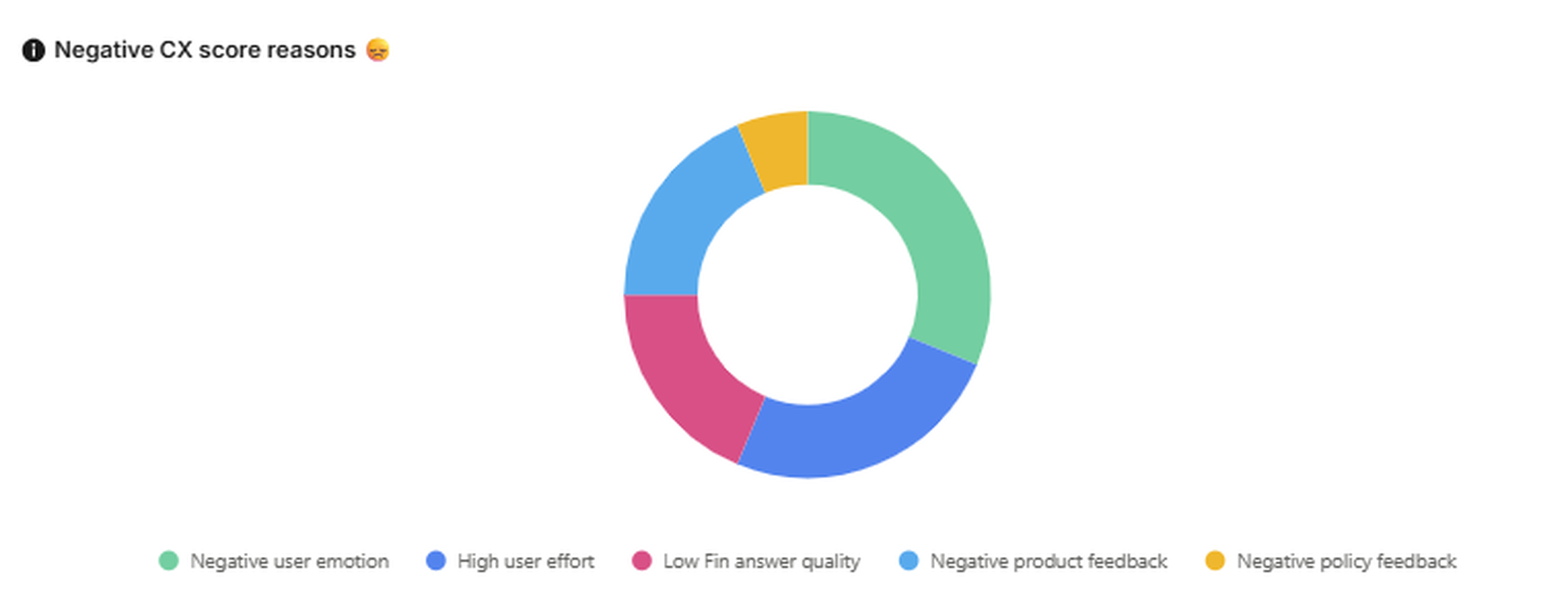
Reason 1: Redemption failed at a large retailer, and the coupon was rejected
This is the most common issue we read. A user prints a coupon correctly, walks into a Walmart or a Target, and the redemption fails at the register. The coupon is valid, the right product is in the cart, but the cashier cannot process it. A highly frustrating moment.
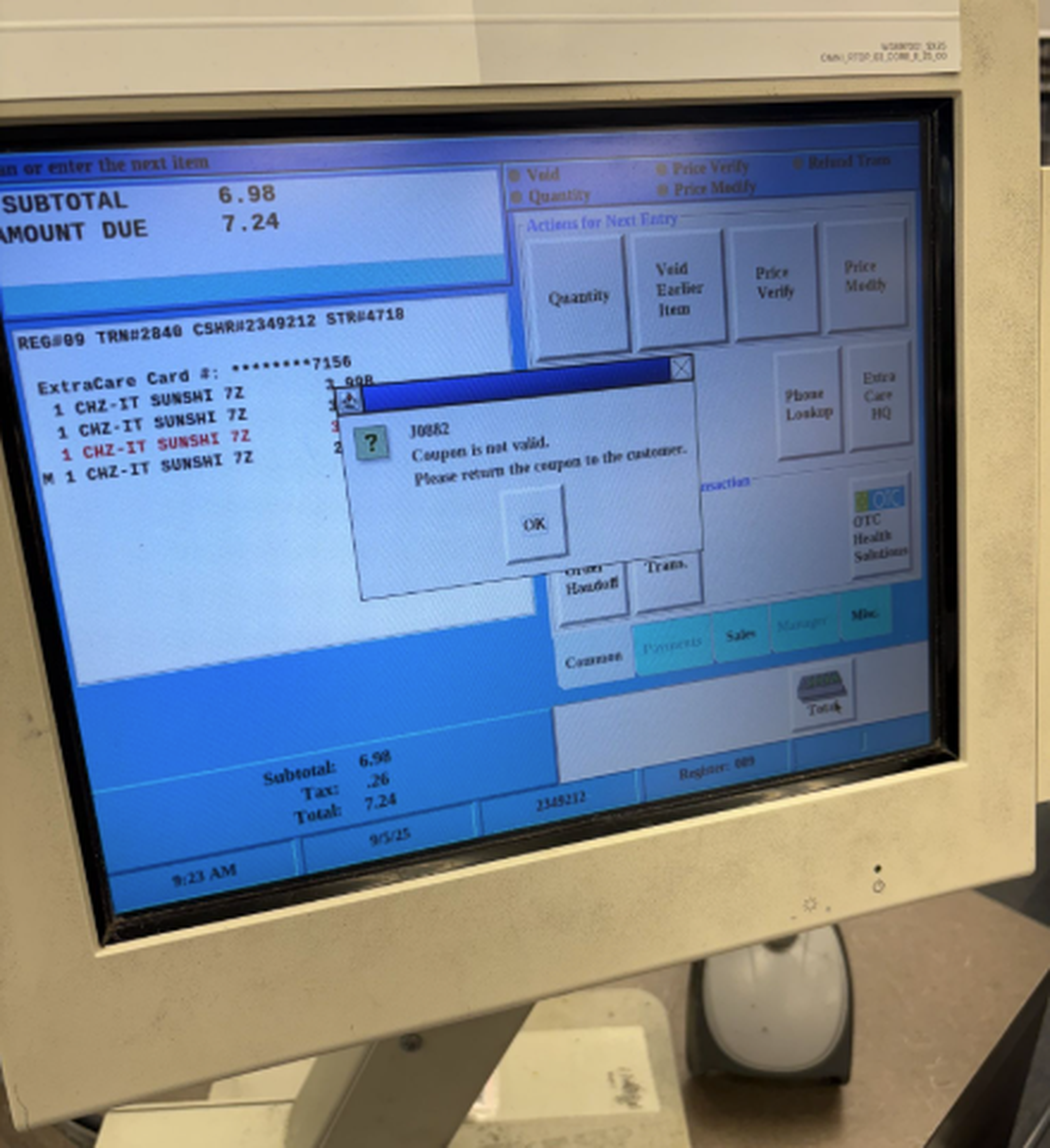
There are many potential reasons for this happening, but we can all agree that this is not the expected outcome. Due to the nature of the printable coupons, we don’t have any live feedback on underlying issues in the shopping experiences. Online, we monitor downtime and issues in real-time. We have complex alarm systems raising awareness of problems. But in the offline world, we are in fact dependent on user feedback.
Our customer service team will be the first to know when our printable coupons are down. The first reaction is to try to reproduce the problem. This does mean we print our own coupons and carry them to the nearest store to test ourselves. We keep these tests logged and record ourselves going through the journey.
In our tests, we have found two common failure points at the retailer's checkout:
1. The retailer's point-of-sale system differs greatly between stores.
Different retail chains use different systems, and not all of them handle printable coupons the same way. Some scan our coupons just like products, others have a special slot to insert the coupons. Self-service desks even have a separate scanner where the coupons are read (often hidden behind the plastic bags, by the way). This non-standard setup allows for a larger margin of error when scanning. Cashier training and awareness add another layer.
Our proposal to mitigate: Try again. This sounds too simple to be the answer, but just like every IT department asks you to restart your laptop first and see if the problem persists, I would recommend you rescan the coupon. We have tests where the coupon was “rejected” twice and miraculously passed the third time we scanned. We know this is not ideal, but it's a better solution than leaving the store paying full price.
What are we doing: From our end, we are working hard to try to remove those friction points to make it easier for you. We are in contact with the retailers to work together in developing standardized ways of reading, scanning, and using Coupons at the stores. We are also working on creating a series of guides to explain each different POS system and the caveats of navigating them.
2. Real downtime of the systems.
Sometimes the coupons don’t work, no matter how often they are scanned. For example, if you unsuccessfully tried a coupon in a CVS between August 2025 and January 2026, chances are it was due to an outage in communication between our coupons and some CVS systems in various states.
One of the largest pros of our coupons is that they are valid across thousands of retailers across the country. This is also one of our largest challenges. Systems get updated and modernized at different speeds, and the complex communications between the systems can be impacted. Thankfully, this is a rarity.
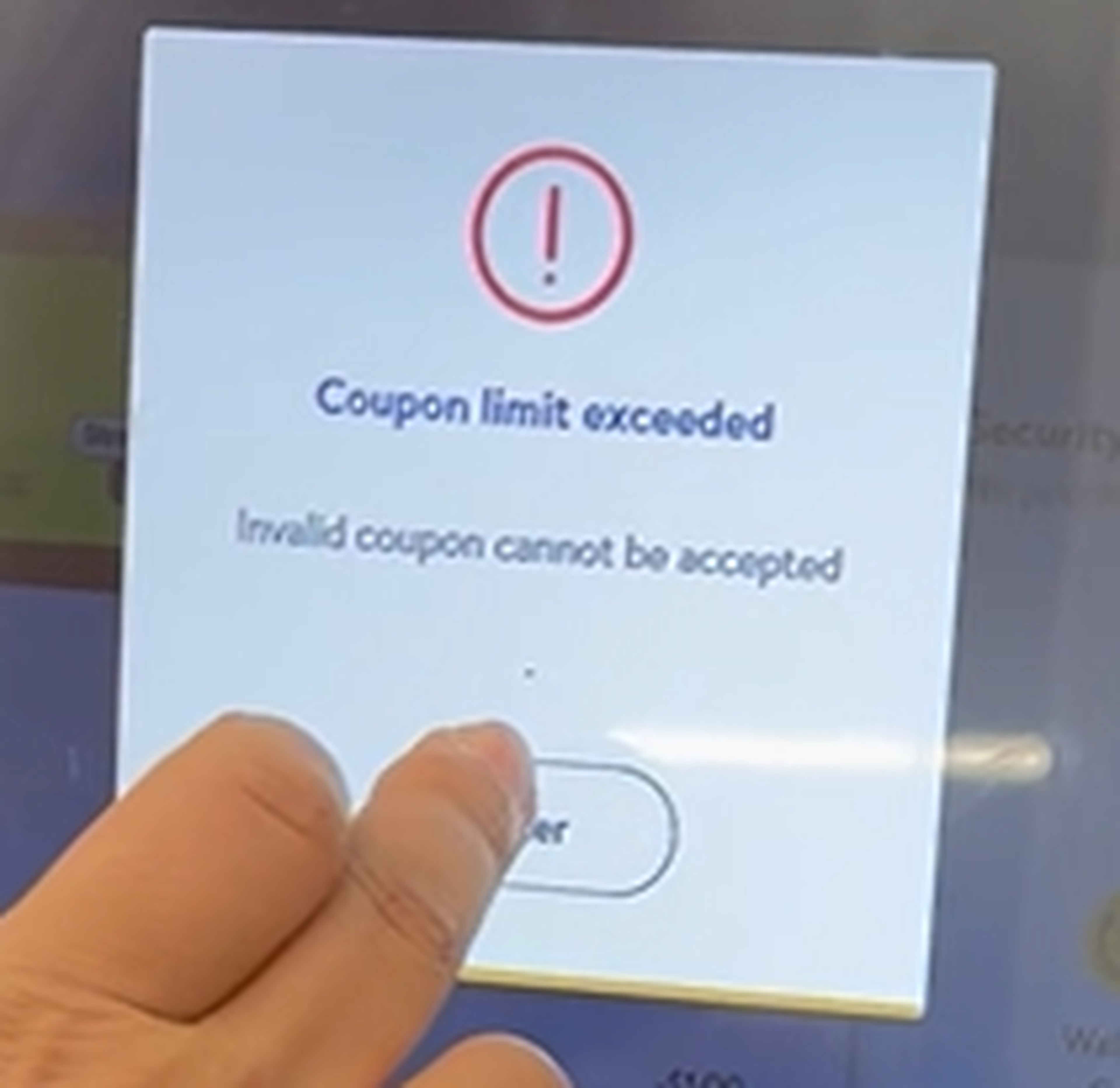
Reason 2: The print failed, and the printing limit was reached
Printable coupons have a print limit. Usually, it's once or twice per user per coupon. That limit is set by the brands and manufacturers who fund the offers and is not something we can control.
It is a problem we see repeatedly across user reviews. A user tries to print a coupon, the printer jams or outputs a blank page, or the connection is interrupted, and while the user did not get their coupon, our system still logs that as a completed print. When the user tries again, they are blocked. They did nothing wrong, and the system gave them no way back in.
That is a technical limitation, and it is ours to solve. We are improving how the system detects failed print attempts and building recovery options so a printer error does not cost someone their coupon.
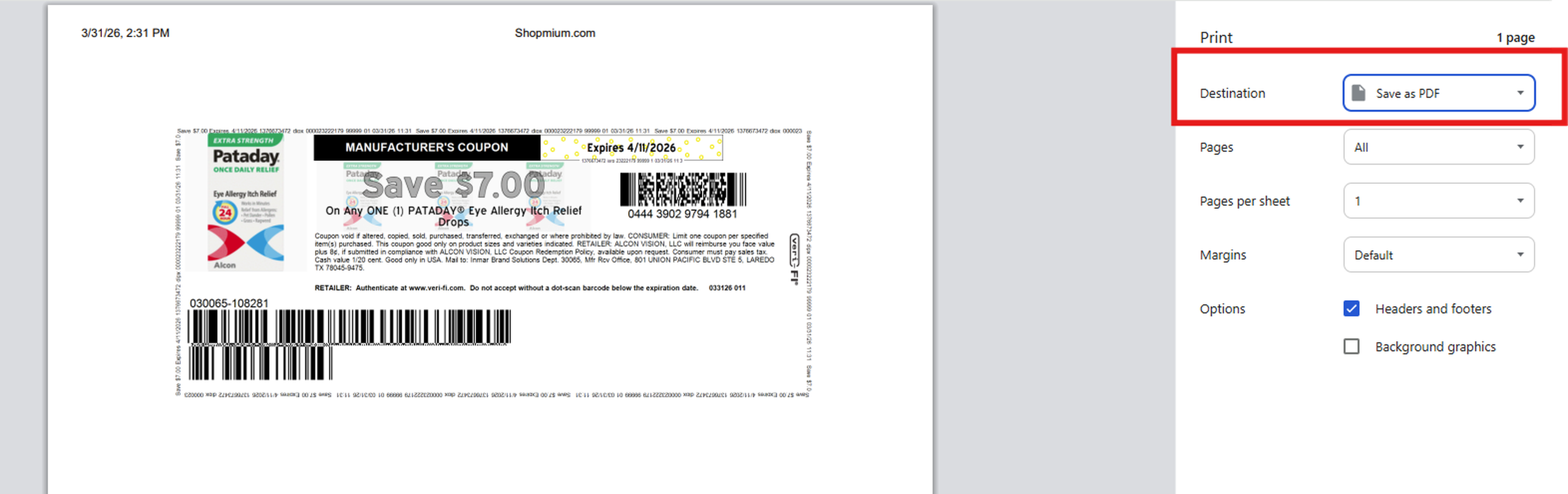
Our proposal to mitigate: An immediate solution to the printer limit issue is to save the coupon as a PDF instead of actually printing it. Our system only logs when the pop-up for printing appears; it does not log if the page was printed or saved. So the easiest way around this problem is to save the coupon directly on your device. Once saved, you can actually print it as often as you want with no limits. (Keep in mind that printing it multiple times won't mean you'll be able to redeem it multiple times.)
An extra tip: If you forgot to save your coupon and the printer limit was reached, all is not lost. Anyone with a different phone number can clip, save, and print the coupon for you, and you are good to go shopping!
What are we doing: The manufacturer limitations of limited prints per user are responsible for the printing limit in our systems. While we cannot change the manufacturers' guidelines, what we are working on specifically is being able to identify failed print attempts, in order to prevent the system from falsely identifying an attempt as an actual print.
Reason 3: The coupon expired before redemption
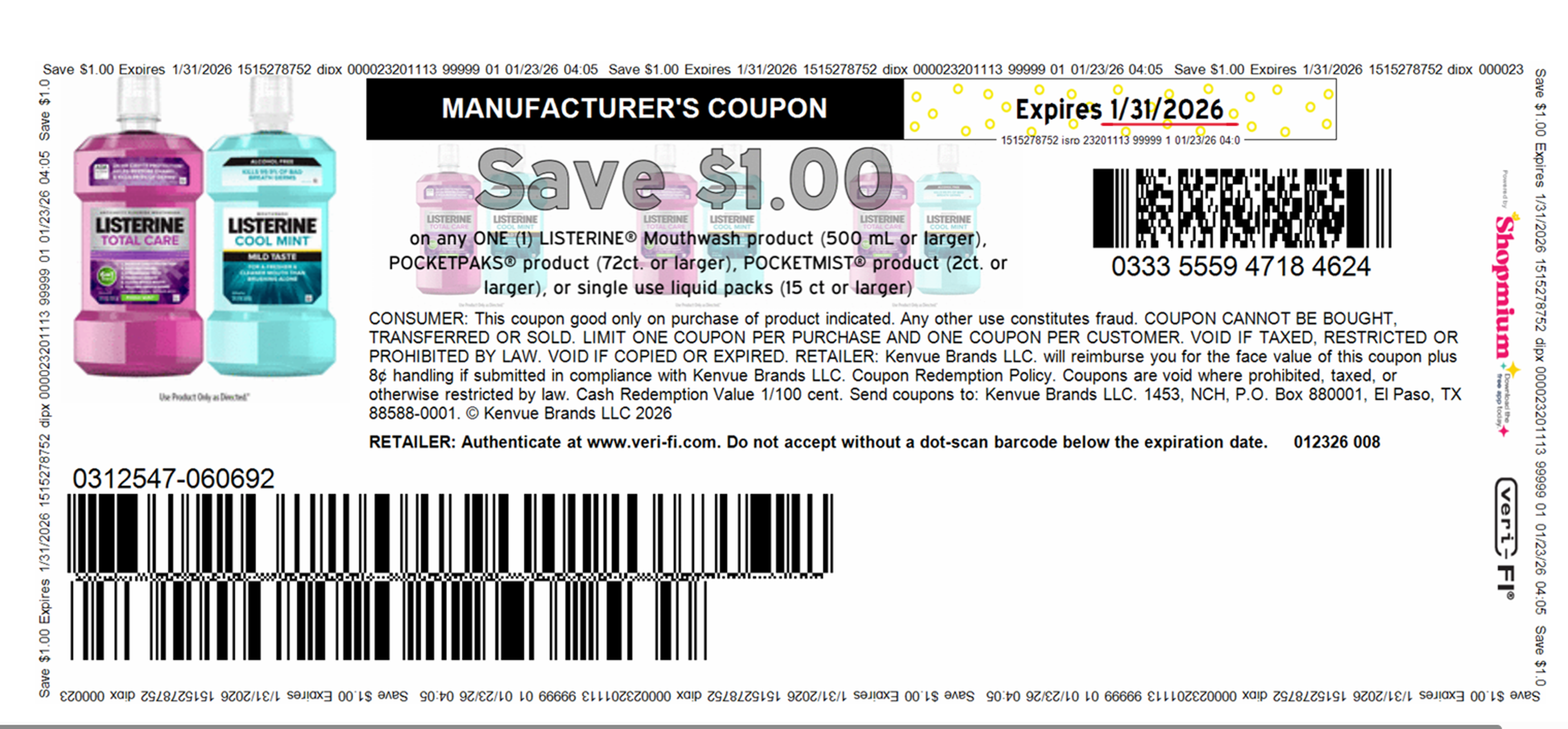
This is the final of our top three reasons coupons fail, and according to the numbers, it happens more often than you might think. A user saves a coupon, life gets in the way, and by the time they bring it to the store, it has already expired. The date was on the coupon, but it was missed.
Some of that is unavoidable. Coupons have time limits for the same reason that sale prices end, but it doesn’t make it less frustrating when this happens at the store.
Our proposal to mitigate: There is a solution on our site that will allow you to get your printable coupons in real time, and without a printer: Our mobile in-store coupons. These can be accessed from anywhere and clipped directly to your phone without the need for a printer. Next time you are paying and find that the coupon you brought has expired, quickly clip one of our mobile offers and redeem it right there on the go.
What we are doing: We took it upon ourselves to do better at clearly displaying expiry dates on printed coupons.
Final thoughts
There are many reasons for a negative review, and we take every review very seriously, investigating each and every case. We are working hard to solve the main culprits of the printable coupons journeys.
But the data is overwhelmingly clear: 100 complaints per year against 100 million users is, statistically, a success story. I say this very carefully and with the highest respect to every negative review we receive on any of our review profiles. And although we are working tirelessly on improving every aspect of our service every day, I am proud of our team’s effort to provide 999,999 positive shopping journeys for every one negative review.
The Clip is where the people behind Coupons.com get to speak plainly. No press releases. No corporate polish. Just honest stories from people who think hard every day about helping you spend less and keep more.

Alex is the kind of deal hunter who never buys anything without a discount. He has been part of the Atolls team since 2017 and is currently the Managing Director of Coupons.com. Alex brings drive and motivation that inspire our editorial and commercial teams to give their best every day.
Alex moved to the US with his wife and three daughters from the company headquarters in Munich, Germany, in 2024. At first, he had to figure out where to find the best deals in a new country. It didn’t take long before he was navigating sales and discounts like a pro. Turns out, saving smart is universal, no matter where you are in the world.
Alex holds a double degree in International Business Management and International Business Sciences, as well as postgraduate education in Business Strategy. Along with 10 years in the affiliate marketing space, he brings the perfect balance of business knowledge, strategic expertise, and deep industry experience to every challenge.